[WA] How to get your RON/Electronic Endorsement in WA State
[WA] How to get your RON/Electronic Endorsement in WA State
Before you can use the Notary Hub platform by Everything Legal, you must be registered as a remote notary and have the electronic notary endorsement.
Note: If you do not already have a notary license, you will need to complete that as your first step.
Video Resources
- How to Become an Online Notary in Washington
A short video explaining the process for becoming a Remote Online Notary (RON) in Washington State.
Steps To Become a RON in Washington
Step 1: Sign-up & Create Your Account With Everythinglegal.com
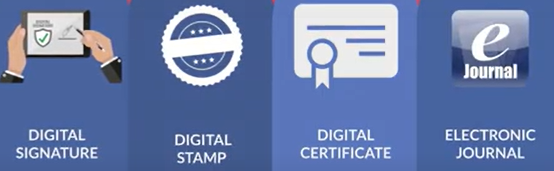
Obtain your Digital Certificate, Electronic Signature, and Digital Stamp from our partners at SSL through our all-in-one platform!
Everything Legal also provides you with the required Electronic Journal for documenting your remote online notarizations.
For instructions on how to properly save your digital certificate to your computer, refer to the help article here:
[Get Your Digital Certificate](X509 Certificate Setup Guide)
Step 2: Apply for electronic notary endorsement
Go to https://www.dol.wa.gov/business/notary/nrequirements.html to apply for your electronic notary endorsement.
This endorsement will be added to your current notary license held in the state of Washington.
Step 3: Notify the WA Dept. of Licensing
You must notify the WA Department of Licensing via email that you have applied for your electronic notary endorsement:
- Email: notaries@dol.wa.gov
- Subject line: “Remote Online Notary Endorsement Application”
- Email body: Include your name, notary license number, the date you applied for the endorsement, and the name of your RON software provider (Notary Hub).

Step 4: Receive approval to perform remote notarizations from the Department of Licensing
Once approved by the WA Department of Licensing, you will be authorized to perform remote notarizations using the Notary Hub platform.