[OR] How to get your RON/Electronic Endorsement in Oregon
[OR] How to get your RON/Electronic Endorsement in Oregon
Before you can use the Notary Hub platform by Everything Legal, you must already be commissioned as a traditional notary.
Note: If you do not have a notary license, complete that as your first step.
Video Resources
- How to Become an Online Notary in Oregon
A video overview of Oregon’s Remote Online Notary (RON) application and approval process.
Steps To Become a RON in Oregon
Step 1: Sign-up & Create Your Account With NotaryHub.com by Everything Legal
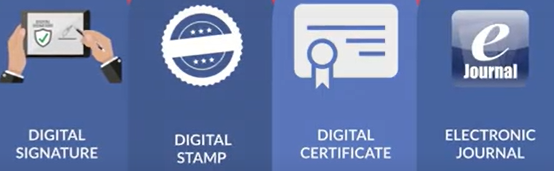
Obtain your Digital Certificate, Electronic Signature, and Digital Stamp from our partners at SSL through our all-in-one platform.
Everything Legal also provides you with the required Electronic Journal for documenting your remote online notarizations.
For instructions on how to properly save your digital certificate to your computer, refer to the help article here:
[Get Your Digital Certificate](X509 Certificate Setup Guide)
Step 2: Complete the Remote Online Notarization Training
It’s important to understand the RON process and ensure all requirements are met before you begin notarizing remotely.
Training is required by the Oregon Secretary of State before you can start performing RONs. The SOS office provides their required Remote Online Notarization Training on their website.
Step 3: Notify the Oregon Secretary of State

Email the completed Remote Online Notarization Notice form along with a PDF showing your digital stamp and signature from your Notary Hub profile to:
notary-team.sos@sos.oregon.gov
The PDF must show your finalized digital stamp and signature applied to a sample document.
When you complete the onboarding steps in your Notary Hub profile, you’ll perform a practice online notarization session. You can then download a sample document that includes your digital stamp and signature for submission.
Step 4: Wait for SOS Approval
Your request will be reviewed by the Secretary of State. Once approved, you’ll receive a confirmation email authorizing you to perform Remote Online Notarizations (RONs).
After approval, you may begin conducting RON sessions using Notary Hub.
Additional Notes & Resources
- When you renew your commission, you must complete a new notice to continue performing Remote Online Notarizations.
- Qualifying for Remote Online Notarizations does not automatically qualify you for IPEN (In-Person Electronic Notarization). This is a separate process.
- Your signature for RON must match the one on your official oath of office. See the Oregon Notary Stamp Guidelines for reference.