[NV] How to get your RON/Electronic Endorsement in Nevada
[NV] How to get your RON/Electronic Endorsement in Nevada
Before you can use the Notary Hub platform by Everything Legal, you must be currently commissioned as a traditional notary.
Note: If you do not already have a notary license, you will need to complete that as your first step.
Video Resources
- How to Become a Remote Online Notary in Nevada
A short walkthrough on Nevada’s RON endorsement process, including training and registration steps.
Steps To Become a RON in Nevada
Step 1: Sign-up & Create Your Account With NotaryHub.com by Everything Legal
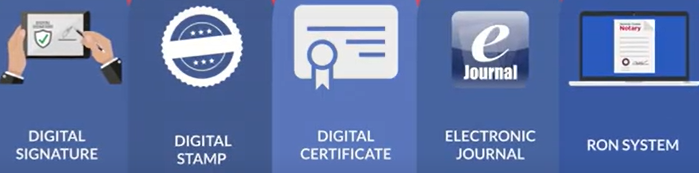
Obtain your Digital Certificate, Electronic Signature, and Digital Stamp from our partners at SSL through our all-in-one platform — see [Get Your Digital Certificate](X509 Certificate Setup Guide)
Everything Legal also provides you with the required Electronic Journal for documenting your remote online notarizations.
Step 2: Complete the State-Required eNotary Training Course
Sign in to your account on the Secretary of State’s Business Portal and register for the state-required eNotary training course.
There is a $45 registration fee for this training.
Nevada requires remote online notaries to complete an eNotary training course.
The three-hour online course covers:
- How to use audio-video communication tools to identify signers online
- Fees permitted for electronic services
- Required electronic journal information
- Importance of eSeals and digital certificates
The course includes an online exam. You must pass with a score of 75% or higher before the Secretary of State will approve your registration as an electronic notary.
Step 3: Complete the Secretary of State's Online Registration Form
Before completing the online registration, you must create an Exemplar — an example of your electronic signature and digital signing certificate.
You can complete the Exemplar within the RON Endorsement onboarding step in Notary Hub. When you select “complete this step,” you’ll see sub-steps to create your exemplar. Click each icon in sequence to complete the process.
Helpful Tip: Avoid using a typed signature.
If you have a typed signature in your Notary Hub profile but the Nevada Secretary of State has your handwritten signature on file, your exemplar will be rejected.
Go to your My Signature & Stamp page and upload an image of your handwritten (“wet-ink”) signature instead.
Plan to spend about one hour completing the registration form and paying the $50 application fee.
Once you have your electronic signature and seal, upload them to the State’s website as part of your registration.
The Secretary of State’s Office may take up to three weeks to process your registration and email confirmation of your approval as an electronic notary.