[OH] How to get your RON/Electronic Endorsement in Ohio
[OH] How to get your RON/Electronic Endorsement in Ohio
Before you can use the Notary Hub platform by Everything Legal, you must be currently commissioned as a traditional notary.
Note: If you do not already have a notary license, you must complete that as your first step.
Step 1: Sign-up & Create Your Account With NotaryHub.com by Everything Legal
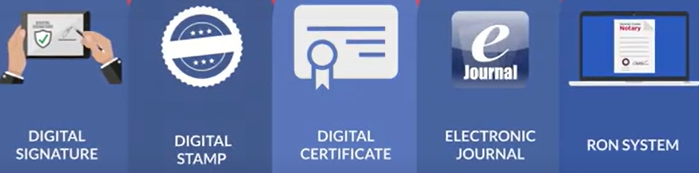
Obtain your Electronic Notary Seal, Electronic Signature, and Digital Certificate from our partners at SSL through our all-in-one platform. [Get Your Digital Certificate](X509 Certificate Setup Guide).
Everything Legal also provides you with the required Electronic Journal for documenting your remote online notarizations.
Step 2: Take a Two-Hour Course and Pass a Test
The State of Ohio requires you to complete a two-hour training course from a
state-approved education provider and receive a certificate of completion.
You must also pass an exam offered by the provider. After successfully passing, you’ll receive a certificate that you will later upload to your online application with the Secretary of State.

Step 3: Complete Your Online Notarization Authorization Application
Once your course and exam are complete, log into your account on the
Ohio Secretary of State’s Notary Portal
to submit your RON authorization application.
If you need guidance on accessing your account, refer to the Notary System User Guide available on the portal.
When submitting your application:
- Upload your course and exam completion certificates (PDF format)
- Pay the $20 filing fee to the State of Ohio
Summary
After submitting your application and fee, the Ohio Secretary of State’s Office will review your materials and notify you via email once you are approved to perform Remote Online Notarizations (RON).
Once approved, you may begin notarizing remotely through Notary Hub by Everything Legal.