[AZ] How to get your RON/Electronic Endorsement in Arizona
[AZ] How to get your RON/Electronic Endorsement in Arizona
Before you can use the Notary Hub platform by Everything Legal, you must be currently commissioned as a traditional notary.
Note: If you do not already have a notary license, you must complete that as your first step.
Step 1: Sign-up & Create Your Account With NotaryHub.com by Everything Legal
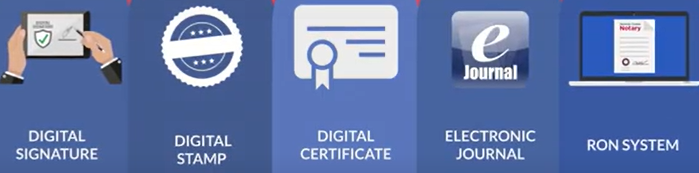
Obtain your Electronic Notary Seal, Electronic Signature, and Digital Certificate from our partners at SSL through our all-in-one platform. [Get Your Digital Certificate](X509 Certificate Setup Guide).
Everything Legal also provides you with the required Electronic Journal for documenting your remote online notarizations.
Step 2: Read the Arizona Remote Online Notary Rules Before Applying
Although Arizona does not require any RON-specific training or exams, notaries are encouraged to review the
current RON rules and regulations
issued by the Arizona Secretary of State to understand the state’s legal requirements.
Step 3: Submit a Remote Notary Request to the Secretary of State
Visit the Arizona Secretary of State’s Remote & eNotary page to review requirements and access the online Remote Notary Request Form.
At the bottom of the page, click the button to request your Remote Notary status.

Vendor & Technology Declaration
When completing your application, copy and paste the following statement in the section for vendor and technology details:
I intend to use Notary Hub by Everything Legal’s Remote Online Notary platform in connection with a webcam with built-in microphone and my computer’s internal speakers.
Notary Hub’s Remote Online Notary platform utilizes PKI X.509 Digital Signature encryption software and captures a Notary’s electronic signature and electronic seal. It also allows for synchronous audio-video feeds and creates an electronic journal and audio-video recording of the signing session.
Step 4: Wait for Your Application Email, Then Submit It to the State
After submitting your request, you will receive an email from the Secretary of State with your RON application form—typically within a week.
Once received:
- Print the application.
- Sign it as instructed.
- Return it following the instructions in the email or on the application itself.

Step 5: Receive Your Commission Certificate
The Secretary of State will process your submission and send your Remote Online Notary Commission Certificate via email (usually within one week).
Once you receive your certificate, you are officially authorized as a Remote Online Notary (RON) in Arizona and can begin performing online notarizations using Notary Hub.