[UT] How to get your RON/Electronic Endorsement in Utah
[UT] How to get your RON/Electronic Endorsement in Utah
Before you can use the Notary Hub platform by Everything Legal, you must be currently commissioned as a traditional notary.
Note: As of November 1, 2019, all Utah notaries must undergo a background check.
If you were commissioned before that date, the Lt. Governor’s Office will send you a link to complete your background check after you submit your remote online notary application.
Steps to Become a RON in Utah
Step 1: Sign-up & Create Your Account With NotaryHub.com by Everything Legal
Every state that allows Remote Online Notarization (RON) requires the use of a compliant platform that includes:
- Identity-proofing technology
- E-signing capability
- Secure storage of video and notarial records
Notary Hub provides all of these—and more.
You can:
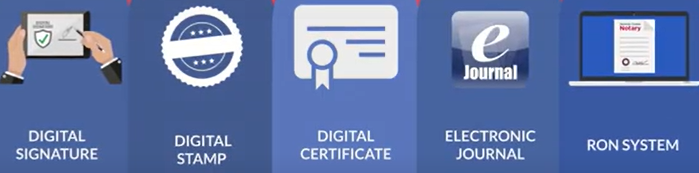
- Obtain a cloud-based X.509 Digital Signing Certificate from our SSL partners (discounted rate available). [Get Your Digital Certificate](X509 Certificate Setup Guide)
- Create your Electronic Signature and Digital Stamp through our all-in-one platform.
- Use the Electronic Journal to document each notarization, including recordings stored for 10 years, available to download for your records via your electronic journal entry
Step 2: Increase Your Notarial Bond to $10,000
To become a Remote Online Notary in Utah, you must have $10,000 in bond coverage. You can satisfy this requirement in one of two ways:
- Obtain a bond rider or adjustment increasing your existing bond to $10,000.
- Take out a separate $5,000 bond to supplement your original coverage.
Note: Your bond coverage is tied to your notary commission date.
Both bonds must be renewed when you renew your notary commission.
If you are unsure who your bond issuer is, contact the Utah Lt. Governor’s Office.
Step 3: Obtain a PDF of Your Electronic Seal and Signature
All RON vendors—including Notary Hub—require notaries to have a unique electronic seal and signature, along with an X.509 Digital Signing Certificate.
In Utah, you must submit a PDF file containing these elements with your RON application.
NOTE: You much complete the setup of your [X.509 Digital Signing Certificate and Authenticator App](X509 Certificate Setup Guide) prior to completing this step.
Steps:
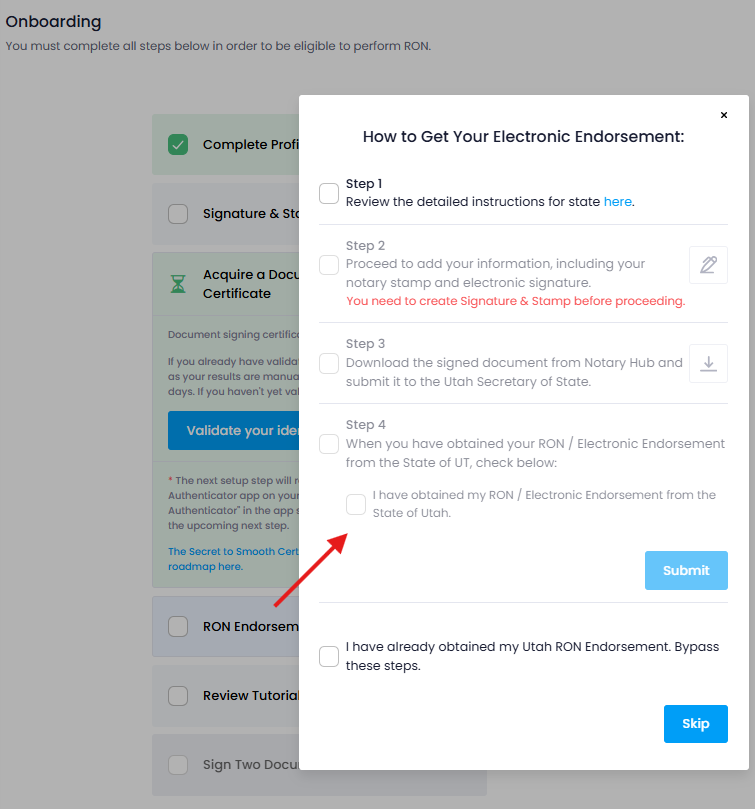
- Access the RON Endorsement step of your Notary Hub onboarding
- Complete the sub-steps to apply your electronic notary signature, seal and X.509 Digital Signing Certificate
- Download and save the document as a PDF file to include in your application to the state
Your SSL Digital Signing Certificate ("electronic seal" as referred to by the state) includes a timestamp and digital tracking mechanism.
Notary Hub’s SSL X.509 certificate embeds this information to ensure documents are tamper-evident.
Step 4: Submit Your Application & Pay the $50 Fee
Once your seal and bond are ready:
- Complete the Remote Notary Application Form (fillable PDF).
- Email the following to notary@utah.gov:
- Completed application
- Bond rider or proof of increased bond
- PDF containing your electronic seal and signature
After review, the Lt. Governor’s Office will email you payment instructions for the $50 application fee.
Once approved, you’ll receive confirmation that your remote notary status is active in the state’s system.
Additional Utah RON Information
- Utah does not require additional training or exams for RON registration (only for traditional commissions).
- Errors & Omissions (E&O) insurance is not mandatory but highly recommended for your protection.
- Becoming a RON expands your business reach — you can perform notarizations for clients outside Utah, provided you are physically located within the state during the notarization.
Once approved, you’re ready to perform Remote Online Notarizations using Notary Hub by Everything Legal.