[FL] How to get your RON/Electronic Endorsement in Florida
[FL] How to get your RON/Electronic Endorsement in Florida
Before you can use the Notary Hub platform by Everything Legal, you must be currently commissioned as a traditional notary.
Note: If you do not already have a notary license, you will need to complete that as your first step.
Step 1: Sign-up & Create Your Account With NotaryHub.com by Everything Legal
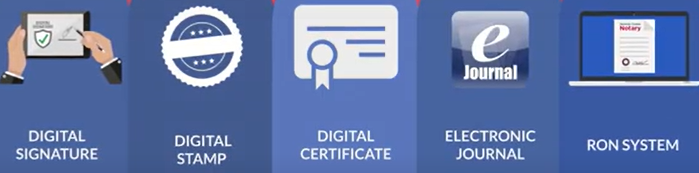
Obtain your Electronic Notary Seal, Electronic Signature, and Digital Certificate from our partners at SSL through our all-in-one platform. [Get Your Digital Certificate](X509 Certificate Setup Guide)
Everything Legal also provides you with the required Electronic Journal for documenting your remote online notarizations.
Step 2: Complete a RON Training Course and Pass the Exam
Before applying for your Remote Online Notary endorsement, you must complete a two-hour RON training course and receive a certificate of completion to attach to your application.
Applicants must complete the official
Application for Registration as an Online Notary Public.
The course covers:
- Best practices for remote online notarizations
- Florida’s RON laws and technology requirements
- Identity verification, credential analysis, and record-keeping standards
Approved RON education providers are listed on the
Florida Department of State’s website.
Step 3: Review the Applicable Statutes and Rules Before Applying
Florida RONs are governed by several new rules and existing notary statutes.
The enacting statute is the Electronic Legal Documents Act —
Chapter 2019-71, Laws of Florida, effective January 1, 2020.
Additional details are outlined in
Rule 1N-7.001, Florida Administrative Code,
which defines RON duties, responsibilities, and application procedures.
Bond & Insurance Requirements
Florida requires all RONs to hold:
- A $25,000 surety bond
- A $25,000 Errors & Omissions (E&O) insurance policy
While E&O insurance isn’t required for traditional notaries, it is mandatory for Remote Online Notaries.
This policy protects you against potential mistakes or omissions during notarizations.
Check with your insurance provider to ensure your policy covers online notarizations or to increase coverage as needed.

Step 4: Submit Your Application to the Department of State & Pay the Registration Fee
Once you’ve completed your training and obtained your certificate of completion, fill out the application form and get it notarized.
Your application will ask for information about your Secure Repository. Use the following details:
Secure Repository Info:
Notary Hub by Everything Legal
701 5th Avenue, Suite 4200
Seattle, WA 98104
📞 888-307-1001
✉️ info@everythinglegal.com
Then, print proof of your materials and send your full application packet to:
By Mail:
Florida Department of State, Division of Corporations
PO Box 6327
Tallahassee, FL 32314
In Person or by Courier:
2415 North Monroe St., Suite 810
Tallahassee, FL 32303
The registration fee is $10, payable by check to the Florida Department of State.