[TN] How to get your RON/Electronic Endorsement in Tennessee
[TN] How to get your RON/Electronic Endorsement in Tennessee
Before you can use the Notary Hub platform by Everything Legal, you must be currently commissioned as a traditional notary.
Note: If you do not already have a notary license, you will need to complete that as your first step. You can check your current notary status using the TN SOS Notaries Search.
Steps To Become a RON in Tennessee
Step 1: Sign-up & Create Your Account With NotaryHub.com by Everything Legal
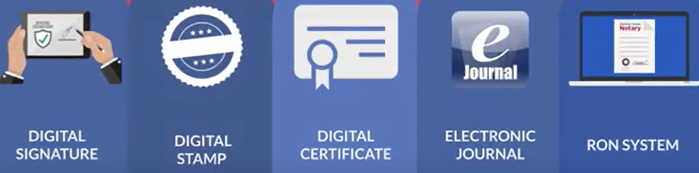
Obtain your Digital Certificate, Electronic Signature, and Digital Stamp from our partners at SSL through our all-in-one platform.
Everything Legal also provides you with the required Electronic Journal for documenting your remote online notarizations.
Step 2: Review the Applicable Statute and Rules Before Applying
Online notarizations in Tennessee are governed by both existing notary rules and new statutes.
The enacting statute is the Online Notary Public Act, TCA 8-16-301 et seq..
New rules explaining the duties, responsibilities, and application procedures for online notaries can be found in Chapter 1360-07-03 of the Department of State Rules.
Step 3: Get the Required Information and Documentation From Notary Hub (Your RON Vendor)
You will need to include specific materials from your Notary Hub profile when completing your online notary application. These include:
- The name of your vendor — Notary Hub by Everything Legal
- A description of the technology used — Cloud-Based RON platform
- Explanation of your electronic notary journal method — stored securely within the cloud-based platform
- A copy of your unique electronic seal (available for download as a PDF from your profile)
- A copy of your electronic notarial certificate, which includes your digital signature or tamper-evident technology (you can generate this PDF in the RON Endorsement step of onboarding)
- Instructions from the vendor explaining the authentication of your digital certificate — see [Get Your Digital Certificate](X509 Certificate Setup Guide)
- Instructions from the vendor describing identity proofing and credential analysis processes — Notary Hub uses third-party tools for ID verification and knowledge-based authentication (KBA).
Attach or describe each of these documents electronically when submitting your application to the State.

Step 4: Complete the Online Notary Application & Pay the Initial Fee With the Secretary of State
To perform online notarizations in Tennessee, you must obtain an online notary commission issued by the Secretary of State.
Set up an account and complete the Online Notary Application.
The application must be submitted and paid online, with a $75 initial fee.
Be sure to include the start and expiration dates of your current notary commission — these must match the records on file.
Your online notary commission runs concurrently with your existing notary commission and expires on the same date.
Once your traditional notary commission is renewed, you may reapply to continue as an online notary.