[ID] How to get your RON/Electronic Endorsement in Idaho
[ID] How to get your RON/Electronic Endorsement in Idaho
If you are an existing Idaho notary, you can visit the Idaho Secretary of State's website and apply to file an amendment to your traditional license.
Note: If you do not already have a notary license, you will need to complete that as your first step. If you’re applying for a traditional commission, you can request online authorization at the same time (see Step 2).
You can check to see if you are currently commissioned using their Notary Search Page.
Video Resources
- How to Become an Online Notary in Idaho
A short walkthrough of the Idaho process to obtain remote online notarization authorization.
Steps To Become a RON in Idaho
Step 1: Sign-up & Create Your Account With Everythinglegal.com
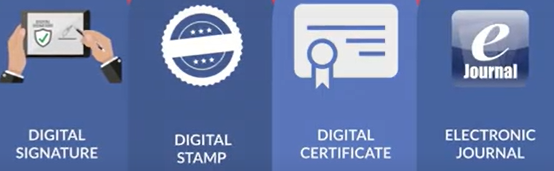
Obtain your Digital Certificate, Electronic Signature, and Digital Stamp from our all-in-one platform.
Everything Legal also provides you with the required Electronic Journal for documenting your remote online notarizations.
For instructions on how to properly save your digital certificate to your computer, refer to the help article here:
[Get Your Digital Certificate](X509 Certificate Setup Guide)
Step 2: Access your Notary Registration Account
Note: If you're applying for a traditional commission and online authorization at the same time, use the Notary Public Application With Electronic or Remote Online Notarization.
The instructions differ depending on whether you already have access to your Secretary of State notary record.
If you DO NOT HAVE ACCESS TO YOUR NOTARY REGISTRATION
- Go to Online Business Services | Idaho Secretary of State.
- Click Login (create an account if needed).
- In the Notary block, select Search for a notary.
- Search your commission number.
- Click your name in the blue box.
- In the slide-out panel, click Request Access and follow the prompts.
- After gaining access, refresh your search if you don’t immediately see the File Amendment icon.
- From the amendment list, select Addition of Electronic/Remote Technology.
If you ALREADY HAVE ACCESS TO YOUR NOTARY REGISTRATION
- Go to Online Business Services | Idaho Secretary of State.
- Log in (top right).
- In the Notary block, click Update Information.
- Open your notary record by clicking your name in the blue box.
- In the slide-out panel, select File Amendment.
- Choose Addition of Electronic/Remote Technology from the amendment list.

Step 3: Complete & Submit the Authorization for Electronic/Remote Online Notarization form
Submit the Authorization for Electronic/Remote Online Notarization form to the Idaho Secretary of State:
- Print and sign the Statement of Compliance on the form
- Get it notarized by another Idaho notary
- Mail the notarized form, a sample of your Digital Certificate (see example below), and the $20 filing fee
- Receive your authorization certificate from the Secretary of State
Once your application is approved and you receive your authorization certificate, you may begin using the Everything Legal platform to serve clients who are not physically present.
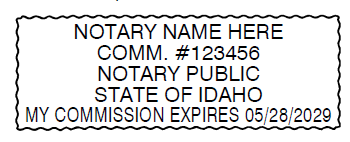
To satisfy the “certificate sample” requirement, physically print the image of your Digital Certificate (provided through the Everything Legal platform) and include it with your application mailing.
Step 4: Review Idaho Secretary of State's Notary Training Page & Resources
The Idaho Secretary of State offers a Notary Training Course specifically for Idaho notaries.
If you are already familiar with traditional Idaho notary duties, you may want to review the Remote Online Notary chapter.
You can also reference the Secretary of State Rules Governing Notarial Acts Performed for Remotely Located Individuals for detailed requirements.