Collecting Payments for Signings
Overview
Purpose of This Article
This guide explains how notaries on Notary Hub can collect payments for their remote notarization services. It covers both platform-facilitated payments and manual off-platform collection options.
Who Should Use This Guide
- Notaries using the Self RON plan on Notary Hub.
- Notaries who offer custom-priced sessions and need to manage client payments.
Key Takeaways
- Understand your options for collecting payments.
- Learn how to enable payment collection through Notary Hub.
Understanding Standard vs. Custom Pricing
Notary Hub supports two pricing models:
| Pricing Model | Description | Control Over Pricing | Payment Method Options |
|---|---|---|---|
| Standard Pricing | Default platform pricing is applied to all signings. | None | On-platform only |
| Custom Pricing | You set your own fees per session or document type. | Full control | On-platform or off-platform |
💡 If you don’t enable custom pricing, Notary Hub will automatically apply standard fees, and you’ll receive a fixed payout per session.
- Standard Pricing: The fee paid by the signer is set by Notary Hub. You receive a preset payout.
- Custom Pricing: You control the fee for each session and can choose to collect it on-platform (with fees) or off-platform (without fees).
Payment Collection Methods
| Method | Description | Processing Fee |
|---|---|---|
| On-Platform Payment | Notary Hub collects fees from the constituent via credit/debit card and deposits to your payout account. | 5% |
| Off-Platform Payment | You collect payment using your own method (e.g., cash, Venmo, Zelle, etc.) and manage the transaction yourself. | 0% |
💡 Use on-platform payments if you want instant payouts and simplified tracking. Use off-platform payments for flexibility and zero fees.
1. Platform-Facilitated Payments
- Notary Hub collects the client’s fee via credit card on your behalf.
- If you’re using standard pricing, you’ll receive a fixed payout for each completed signing. If using custom pricing, your set fee (minus a 5% fee) is deposited into your linked account.
- Funds are transferred via Stripe or your connected bank account.
2. Off-Platform Payments
- You may collect payments directly using your preferred method (e.g., Venmo, Zelle, PayPal, cash, check).
- No processing fees apply when collecting manually.
- Notary Hub does not track or enforce off-platform payments — responsibility for payment collection and documentation falls to the notary.
How to Set Up Payment Collection Preferences
For more information on how to set up custom pricing, see the Set Up Custom Pricing user guide.
| Instructions | Visuals |
|---|---|
| Log in to Notary Hub and navigate to your "Profile" page. | 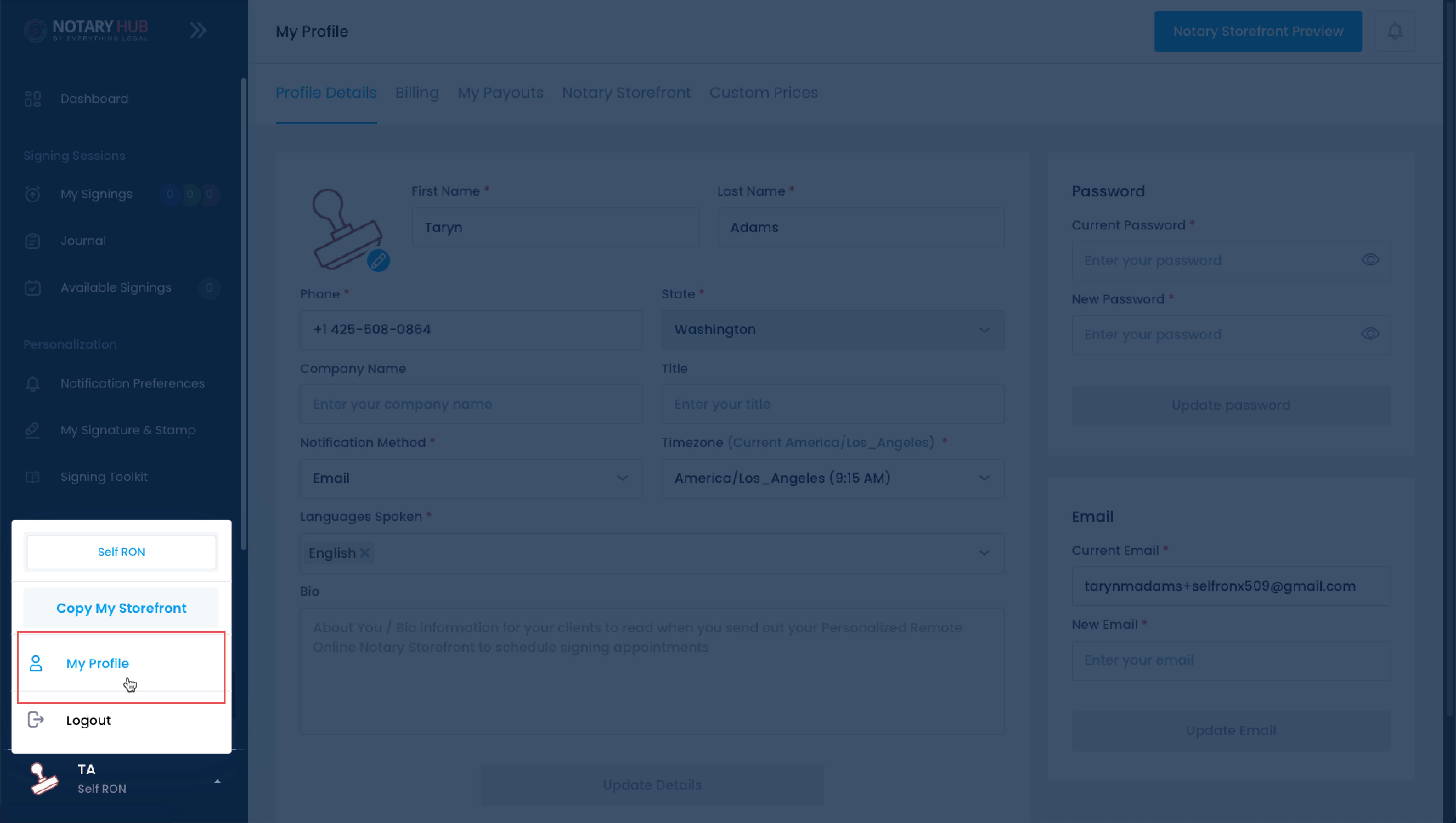 |
| Click on the "Custom Prices" tab. | 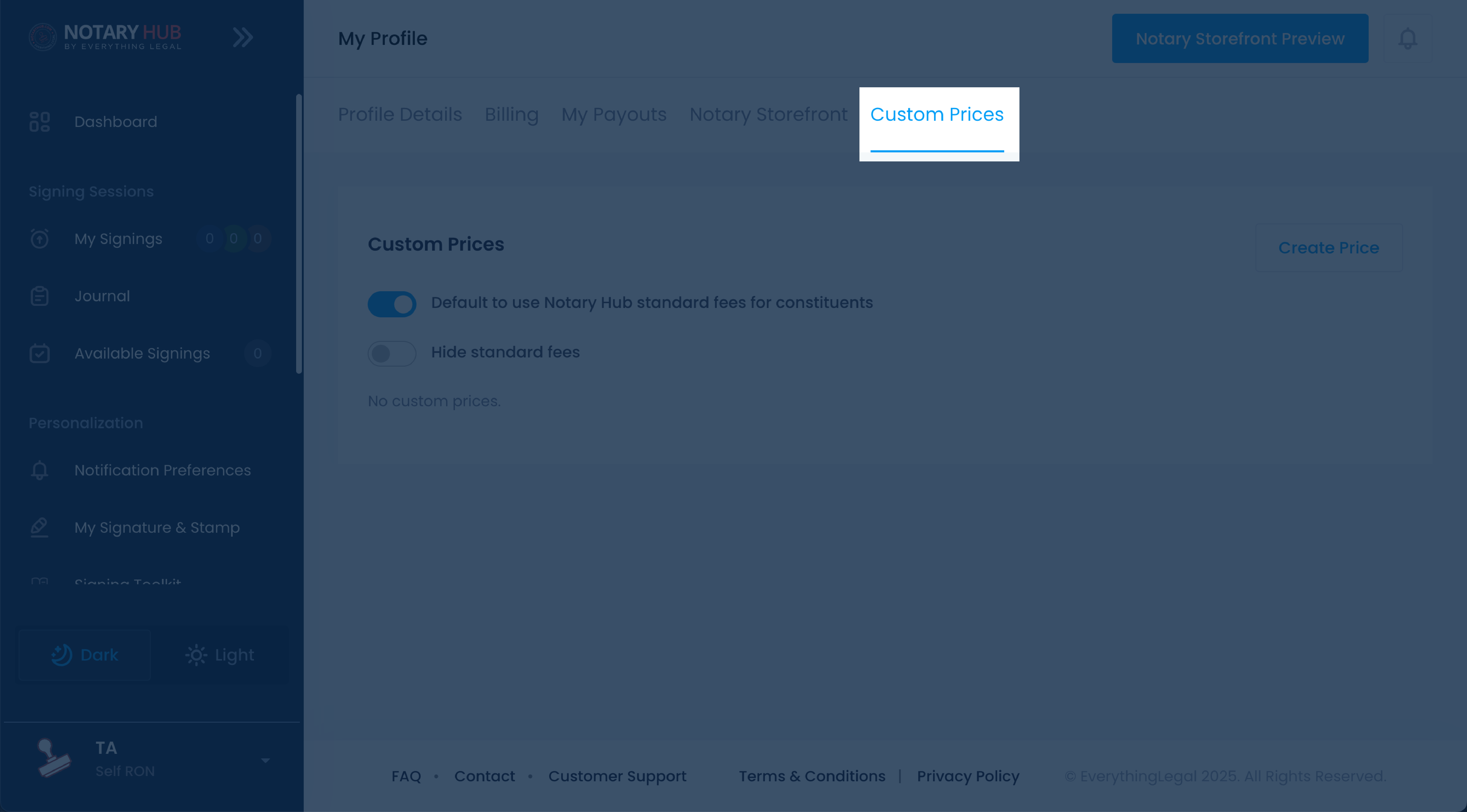 |
| Use the toggle switches to choose whether to collect payments through Notary Hub or manage them manually. | 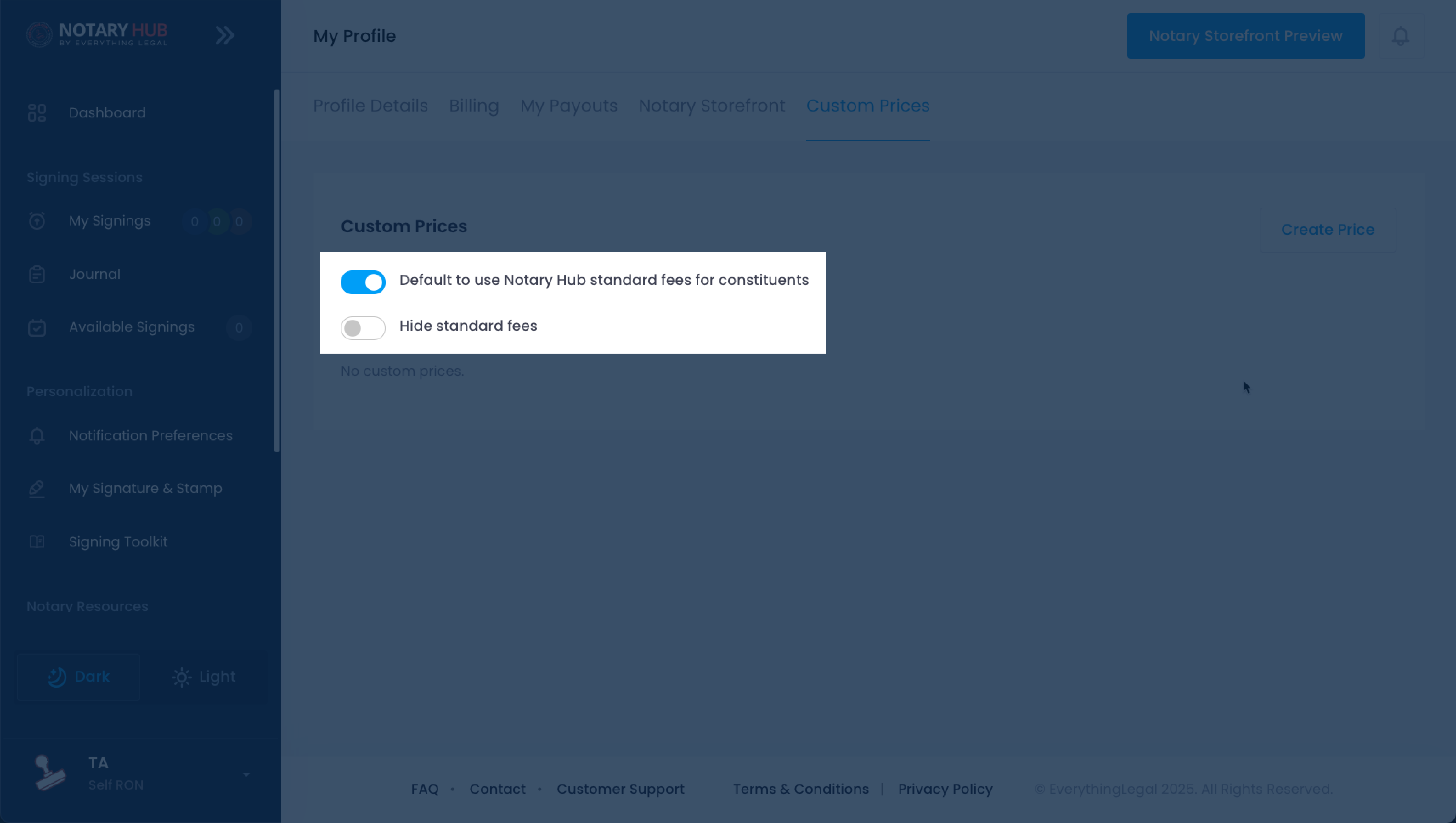 |
Collecting Payments After a Signing
| Instructions | Visuals |
|---|---|
| The final step of the Signing Session asks you to confirm which participant is responsible for payment (if there is more than one participant). | 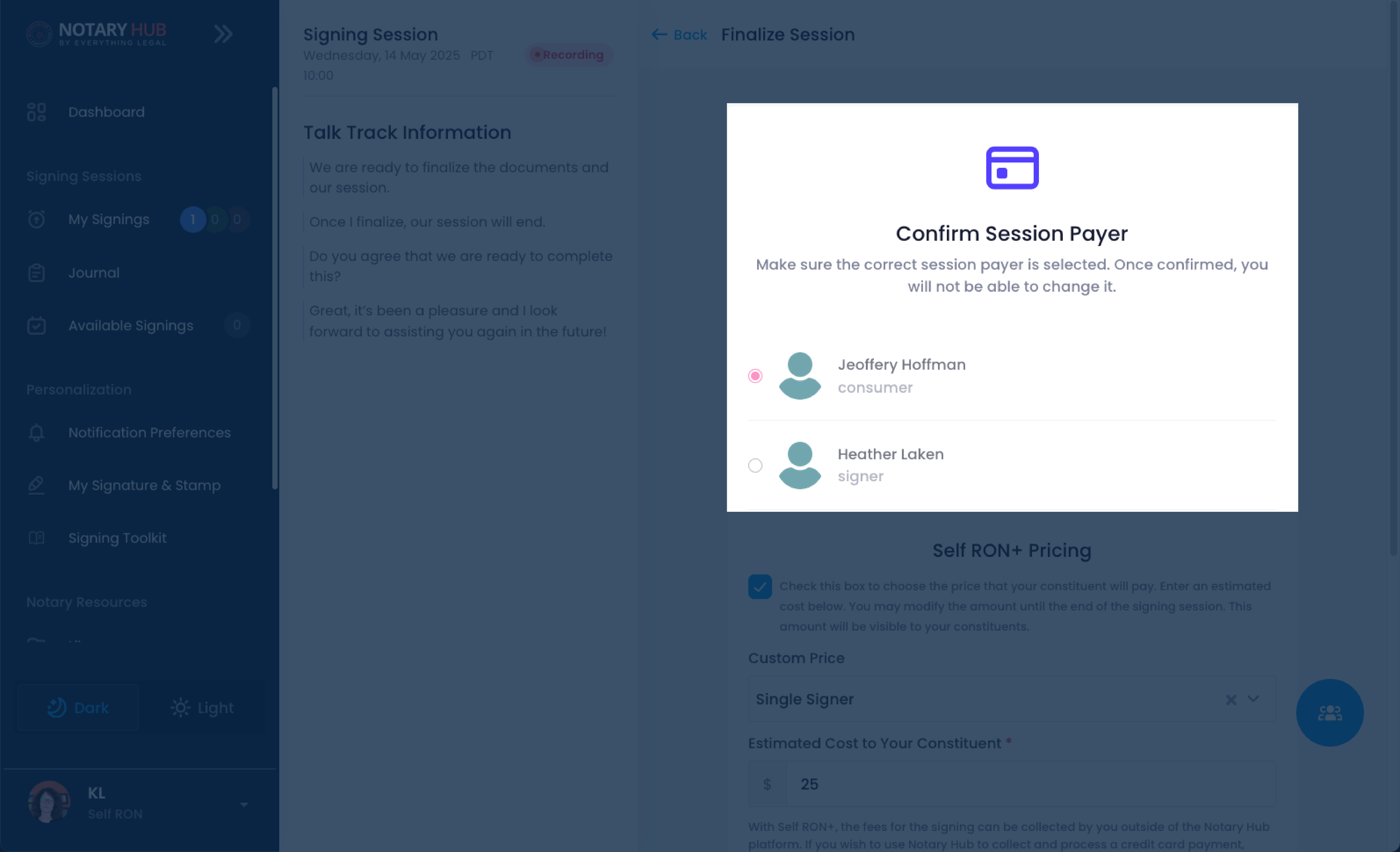 |
| Scroll down on the same page to access custom pricing options. Note: Only custom pricing allows for off-platform payment collection. | 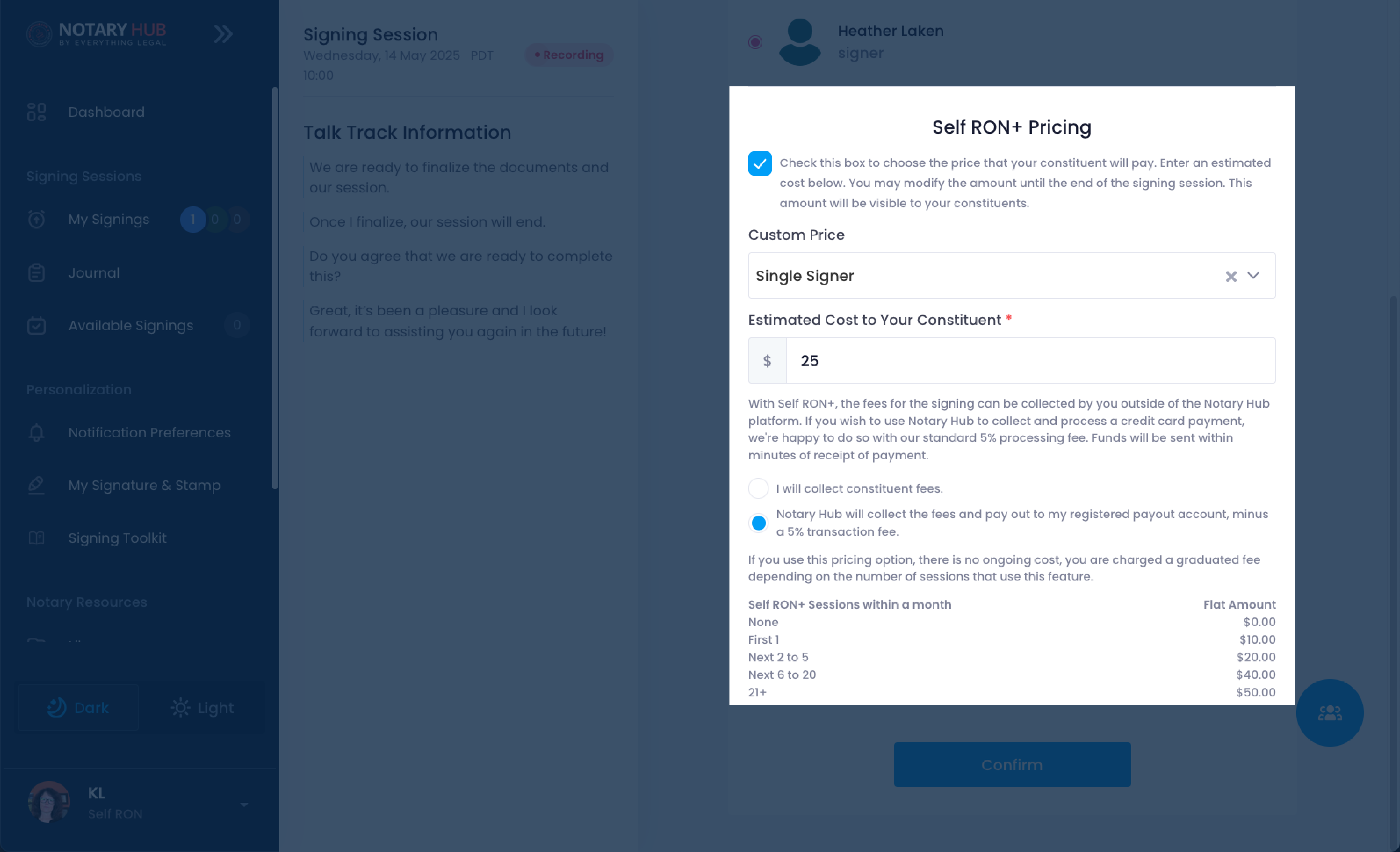 |
| Custom pricing lets you collect payment either off-platform or have Notary Hub collect the fees and transfer them to your payout account (with a transaction fee). | 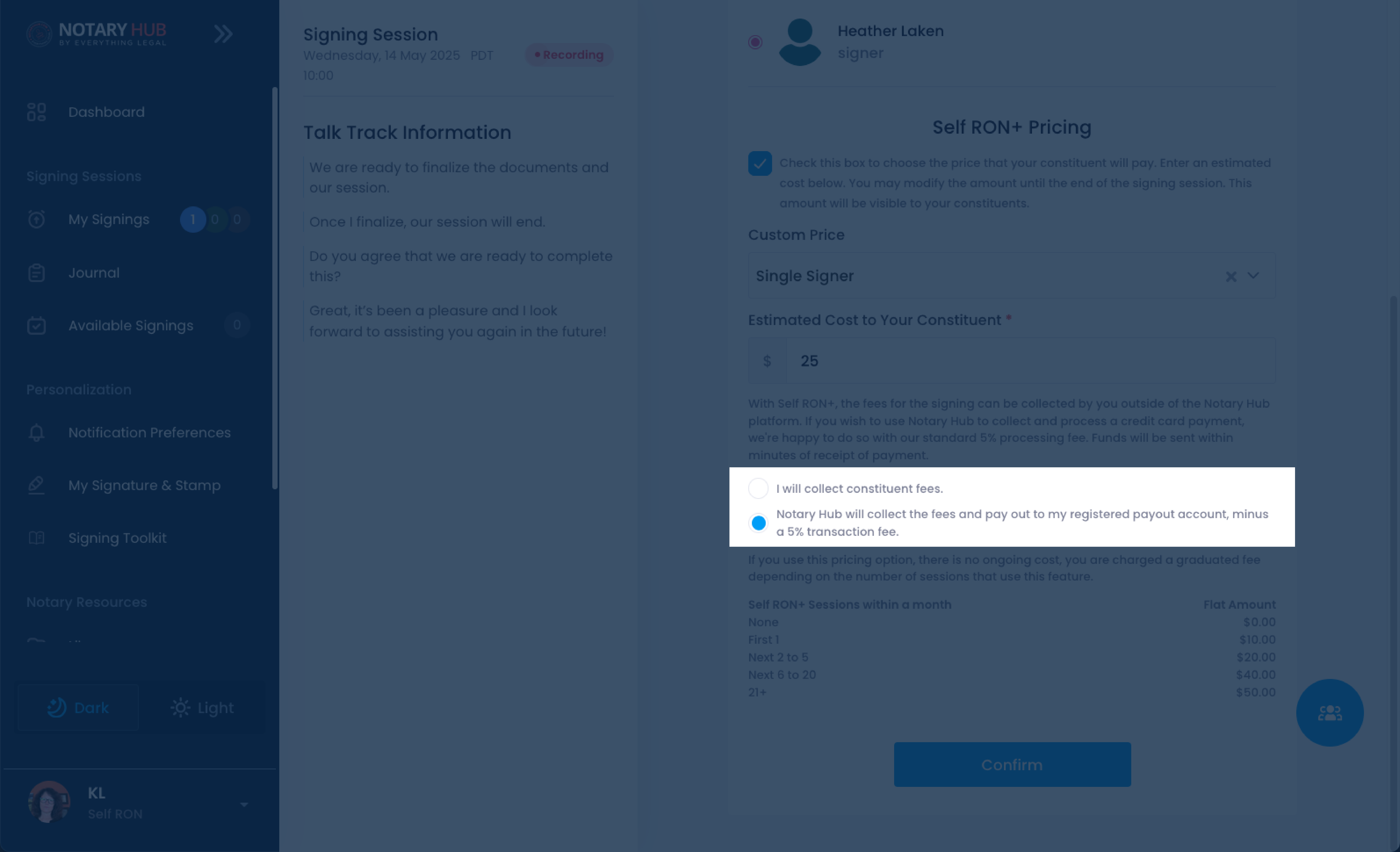 |
| If you choose to have Notary Hub collect the fees, you can view your payout information under your profile settings. Navigate to your profile. | 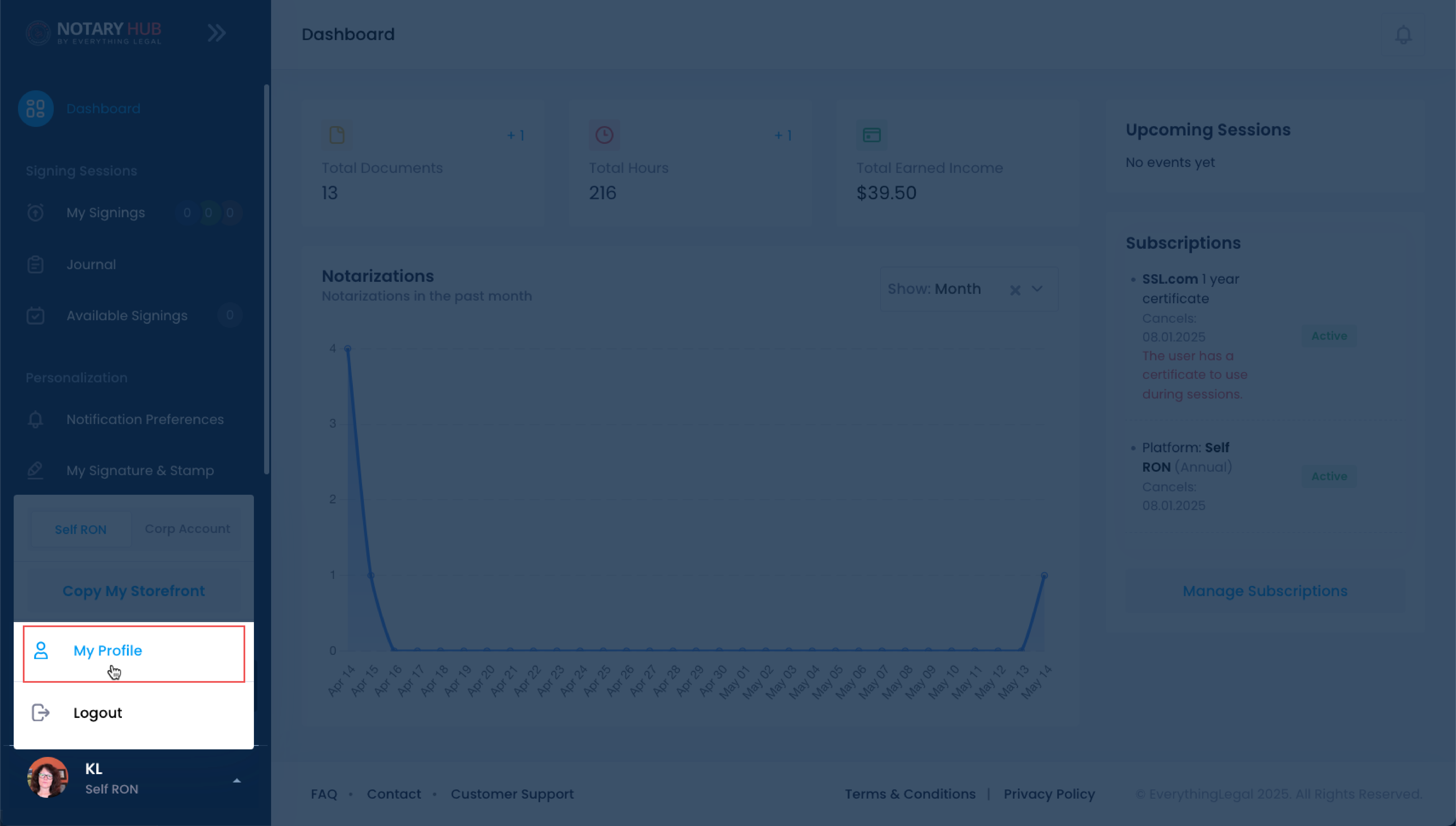 |
| On your profile page, click on the "My Payouts" tab across the top. | 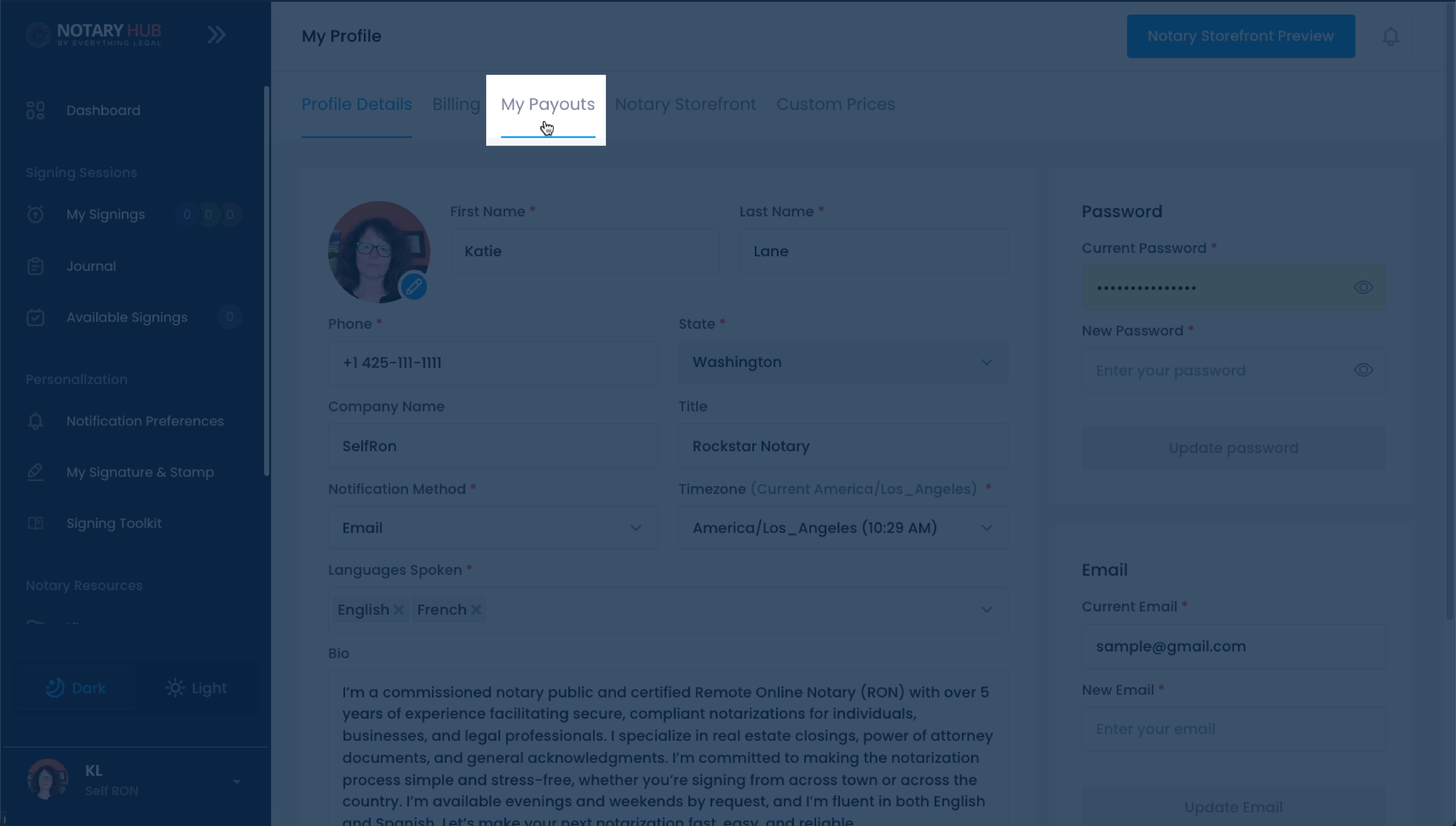 |
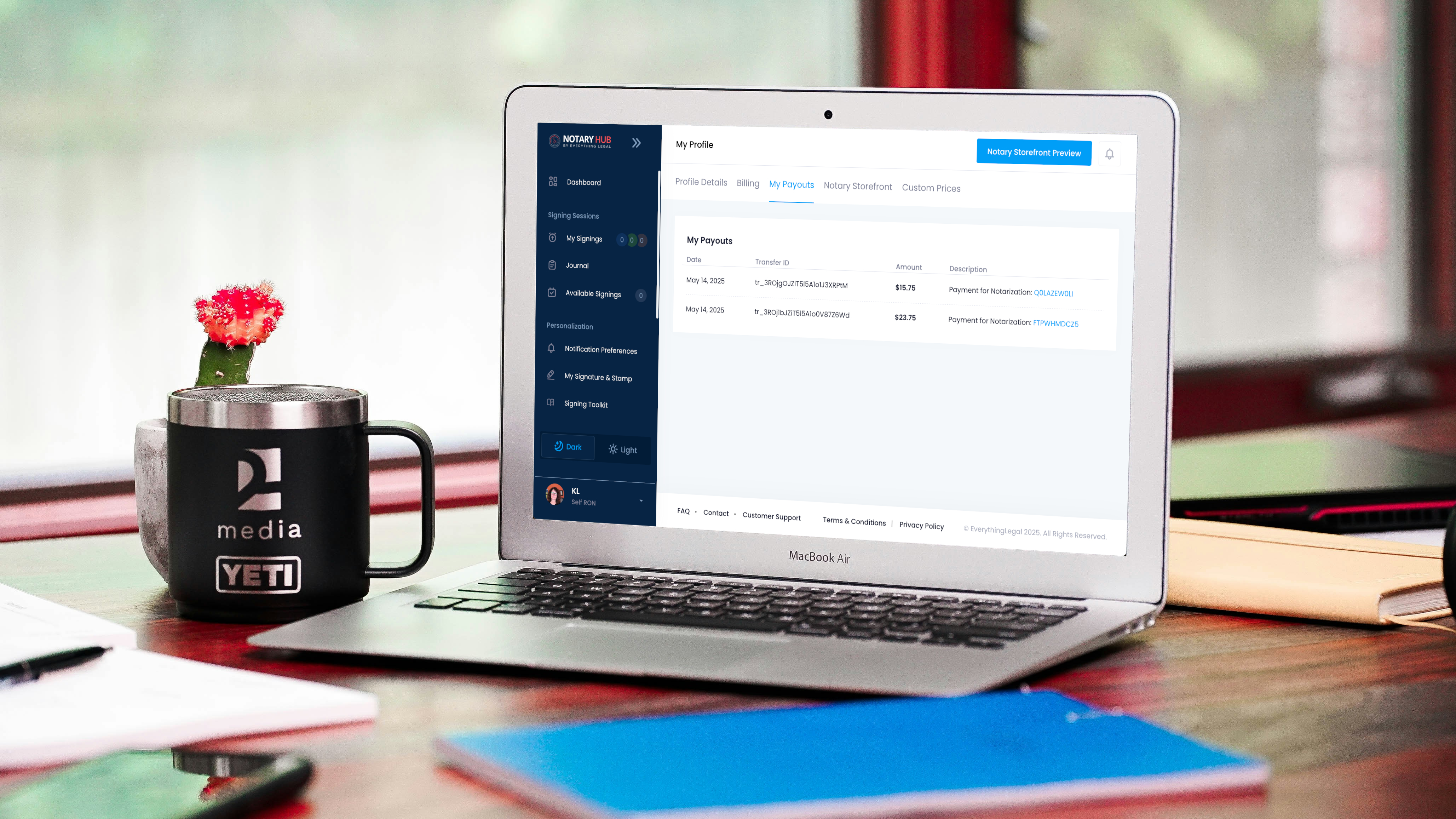
| This page shows a list of sessions for which Notary Hub has collected payments. Note: Sessions where you collected payment yourself will not appear here. | 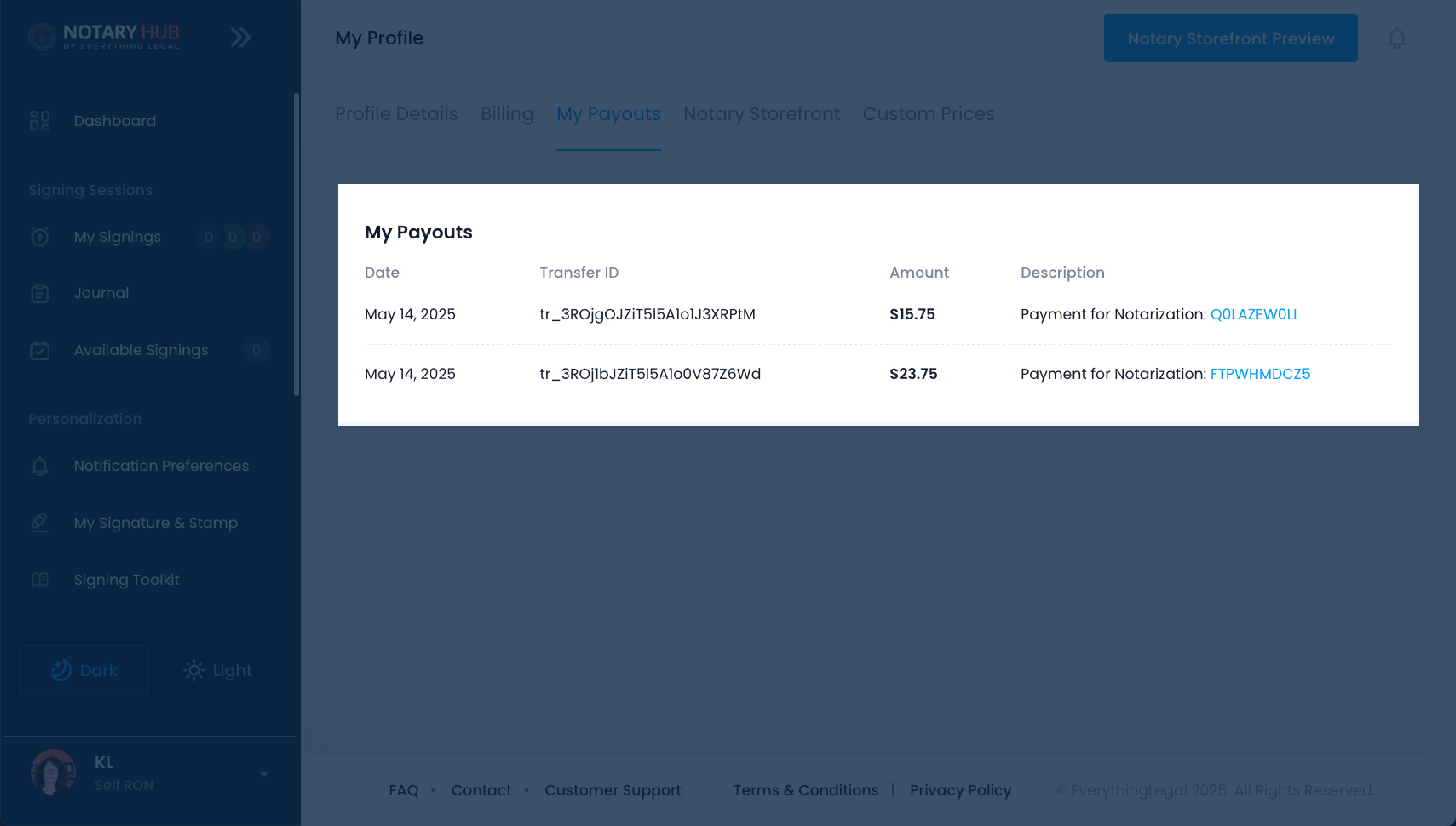 |
Important Legal & Recordkeeping Considerations
- Always comply with your state’s allowable fee maximums for notarizations.
- Maintain records of all payments, whether processed on or off-platform.
- Payment details for on-platform transactions will appear in your Notary Hub journal.
- For off-platform payments, document transaction details for your personal records.
Frequently Asked Questions
Q: What happens if I don’t enable custom pricing?
- A: Notary Hub will apply standard platform pricing to your signings. You’ll receive a fixed payout for each session based on the default fee schedule.
Q: Does Notary Hub process credit card payments for Self RON signings?
- A: Yes, if you enable platform-facilitated payments in your profile settings.
Q: Are there fees for using platform payments?
- A: Yes, a 5% processing fee applies to each transaction.
Q: Can I still collect payments manually if I prefer?
- A: Absolutely. You can choose to collect payment directly via any method.
Q: Are off-platform payments tracked in Notary Hub?
- A: No. Only platform-processed transactions appear in the session journal.
Q: Can I switch between payment methods per session?
- A: Yes, you can adjust your preference for each individual signing.
Q: Can I charge any amount I want for a signing?
- A: Yes, as long as it complies with your state’s maximum allowable notarial fees.
Q: What if a client doesn’t complete payment?
- A: They will not be able to access the final documents unless payment has been made.
Q: Can I switch payment methods after the session is scheduled?
- A: Yes. You can change the payment collection method at any time—even during the signing session itself.
Q: Is there a fee for off-platform payments?
- A: No. Off-platform payments incur no fees but require manual handling and tracking.
Q: What if I don’t want to link a payout account?
- A: You must use off-platform payments in that case. On-platform payments require an active payout account.
Q: Can I see payment history in Notary Hub?
- A: Yes, payment details are shown in your signing session history for all on-platform transactions.