[KY] How to get your RON/Electronic Endorsement in Kentucky
[KY] How to get your RON/Electronic Endorsement in Kentucky
Before you can use the Notary Hub platform by Everything Legal, you must already be commissioned as a traditional notary in the state of Kentucky.
The Kentucky Secretary of State is developing the official application and approval process for Remote Online Notaries and technology providers.
Note: If you are not yet a commissioned notary, you must first apply for a traditional notary commission. See Step 4 for application details.
Steps to Become a RON in Kentucky
Step 1: Sign-up & Create Your Account With NotaryHub.com by Everything Legal
Begin by creating your account on NotaryHub.com.
Through the platform, you can:
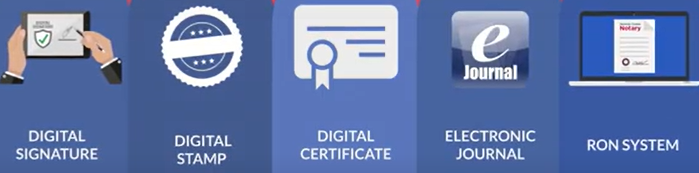
- Obtain your Electronic Notary Seal, Electronic Signature, and Digital Certificate via our SSL partner. [Get Your Digital Certificate](X509 Certificate Setup Guide)
- Access your Electronic Journal for secure documentation of all remote online notarizations.
Step 2: Complete the RON Endorsement Onboarding Step
The Kentucky Secretary of State requires notaries to provide a PDF copy of their electronic signature and electronic notary stamp that contains their Digital Signing Certificate.
You can complete this requirement directly within your Notary Hub account through the RON Endorsement onboarding step.
Download and complete the official
Electronic Notary Registration Form.
Note: You’ll need to complete the Stamp & Signature step in your onboarding before generating your registration PDF.
If you haven’t yet received your Kentucky notary commission number, enter a temporary 6-digit placeholder number (e.g.,
000000or111111). You can edit this from your My Signature & Stamp page once your official number is issued.
Step 3: Obtain Proof of Your $1,000 Surety Bond
Kentucky requires a $1,000 surety bond for all commissioned notaries.
This bond must be on file with the county clerk in the county where you are commissioned.
A separate or additional bond is not required for Remote Online Notarization (RON).
Errors & Omissions (E&O) insurance is optional but strongly recommended to protect you as the notary.
Step 4: Submit Your Application, Pay the $10 Fee, and Notify the State
If you are applying for your traditional notary commission for the first time, complete the
Notary State at Large Application Form and submit it either:
- Online, or
- By mail with a $10.00 fee payable to Kentucky State Treasurer at:
- Notary Commissions P.O. Box 821 Frankfort, KY 40602-0821
Once your application is approved, the Secretary of State will send written notice instructing you to finalize your appointment within 30 days by taking your Oath of Office and filing your surety bond with your county clerk.

To Perform Remote Online Notarizations (RON)
You must notify the Kentucky Secretary of State of your intention to perform remote notarizations and indicate your chosen technology provider (Notary Hub by Everything Legal).
Submit your notification email to:
📧 SoSNotary@ky.gov
Include the following information:
- Your full name (as it appears on your commission certificate)
- Your Notary ID / Commission Number and expiration date
- The communication technology platform you will use (Notary Hub by Everything Legal)
Attach your completed Electronic Notary Registration Form to your email.
Finally, complete your registration online with the Secretary of State here:
👉 Register to Notarize Electronically or Online
Once your application and registration are processed, you will be officially authorized to perform Remote Online Notarizations (RON) in Kentucky using Notary Hub by Everything Legal.