[PA] How to get your RON/Electronic Endorsement in Pennsylvania
[PA] How to get your RON/Electronic Endorsement in Pennsylvania
Before you can use the Notary Hub platform by Everything Legal, you must be currently commissioned as a traditional notary in Pennsylvania.
Note: If you do not already have a notary license, you will need to complete that as your first step.
Steps To Become a RON in Pennsylvania
Step 1: Sign-up & Create Your Account With NotaryHub.com by Everything Legal
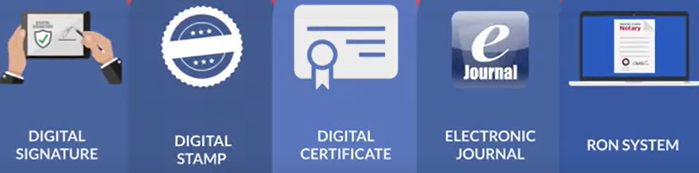
Obtain your Digital Certificate, Electronic Signature, and Digital Stamp from our partners at SSL through our all-in-one platform — see [Get Your Digital Certificate](X509 Certificate Setup Guide)
Everything Legal also provides you with the required Electronic Journal for documenting your remote online notarizations.
Step 2: Complete the Electronic Notary Public Application
No training, exam, or fee is required to become an online notary in Pennsylvania.
Simply complete the ENotary Application (Notary Change Application) and submit it through the Department of State’s Online ENotary Public Application System.

Step 3: Receive State Approval
You will receive an email from the Bureau of Elections and Notaries notifying you of your approval.
Once approved, log into the Department of State’s website and designate Notary Hub by Everything Legal as your RON technology provider.
You will work directly with us to complete your account setup.
Typically, you will:
- Spend one day completing and submitting your application
- Wait about one day to receive an approval email from the Bureau
Step 4: Confirm You’ve Been Added to Pennsylvania’s Authorized RON List
After completing onboarding & training materials, notify Notary hub by emailing info@notaryhub.com with the email subject being: 'PA Notary - Onboarding & training Complete' and Notary Hub will notify the Bureau of Elections and Notaries within 14 days that you’re authorized to use our platform.
You can confirm your listing by searching your name in the
Pennsylvania Notary Public Search.
If your name does not appear as RON-authorized after 14 days, please contact our
Notary Hub Support Team so we can assist in updating your record.
Once you’re listed, you are fully approved to perform Remote Online Notarizations in Pennsylvania through Notary Hub by Everything Legal.